
Discord has evolved far beyond a gaming communication platform. Today, businesses, creators, educators, developers, and online communities use Discord servers to connect with audiences in real time. However, many server owners struggle to keep members active because they fail to understand how to make a good Discord server that people genuinely enjoy using.
A successful Discord server is not simply about adding channels and inviting users. It requires thoughtful organization, community management, moderation systems, engagement strategies, and long-term planning. When a server is built correctly, it becomes a valuable online space where members communicate regularly, participate in discussions, and help the community grow naturally.
In this detailed guide, you’ll learn everything you need to know about creating a high-quality Discord server that looks professional, feels welcoming, and encourages long-term member activity.
Start With a Clear Purpose Before Creating the Server
One of the biggest mistakes beginners make is launching a Discord server without a clear goal. Successful communities are built around a strong purpose. Before setting up anything, decide exactly why your server exists and who your target audience is.
Some Discord servers focus on gaming communities, while others are built for education, customer support, digital products, crypto discussions, anime fans, programming groups, or business networking. Your server structure, content, and engagement strategy should match the interests of your audience.
For example, a gaming community may require voice channels, tournament announcements, and streaming rooms. Meanwhile, a business community may need support channels, networking discussions, and educational resources. Understanding the purpose of the server allows you to organize everything more effectively from the beginning.
Your server branding is also important. Choose a memorable server name and design a professional icon that represents your niche. Communities with consistent branding appear more trustworthy and attract higher-quality members over time.
Organize Channels and Categories Properly
The structure of your Discord server heavily influences user experience. If members join and immediately feel confused, cluttered, or overwhelmed, they are unlikely to remain active.
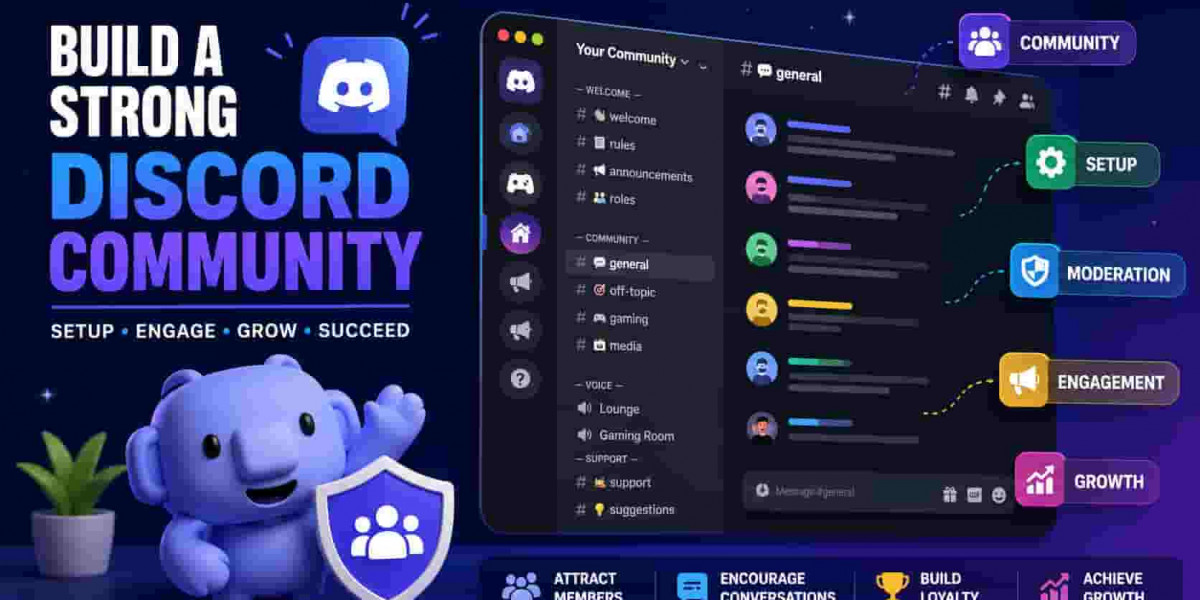
A good Discord server always uses organized categories and clearly labeled channels. Start with essential sections only. Important channels like rules, announcements, welcome messages, and verification should appear at the top of the server.
After the information section, create categories for community interaction. These may include:
General chat
Media sharing
Questions and support
Memes and entertainment
Voice chat rooms
Gaming discussions
Off-topic conversations
Avoid adding too many channels at the beginning. Empty channels make the server feel inactive and unprofessional. Instead, focus on creating fewer but more active discussions. As the community grows, you can expand the server gradually based on member behavior and activity.
Channel names should remain short and easy to understand. Members should instantly know the purpose of each channel without needing explanations. Simple navigation improves activity because users can quickly find conversations they are interested in joining.
Set Up Roles and Permissions Carefully
Roles and permissions are essential for maintaining security and organization inside your Discord server. A poorly configured permission system can create confusion, spam issues, and moderation problems later.
Start by creating basic roles such as:
Owner
Admin
Moderator
Verified Member
VIP Member
Bots
Each role should have specific responsibilities and access levels. Administrators should manage server settings, moderators should handle discussions and rule enforcement, while regular members only need access to community channels.
Discord allows detailed permission customization for every category and channel. You can control who can:
Send messages
Manage channels
Use voice chat
Mention everyone
Upload files
Create invites
Proper permission management protects the server from abuse and accidental changes. It also improves security against spam attacks or fake accounts.
Verification systems are also highly recommended. Requiring verified emails or phone numbers reduces bot spam and creates a safer environment for real members. Secure servers tend to grow faster because users feel more comfortable participating in discussions.
Use Bots to Improve Server Management and Activity
Bots can dramatically improve both server management and user engagement. A well-managed Discord server usually relies on several useful bots for automation and moderation.
Moderation bots are essential for filtering spam, blocking inappropriate content, and automatically enforcing rules. These tools help administrators maintain a clean and safe environment without manually monitoring every message.
Popular automation features include:
Auto moderation
Welcome messages
Reaction roles
Activity tracking
Ticket systems
Music playback
Poll creation
Event reminders
Reaction-role bots are particularly useful because they allow users to choose interests, game preferences, or notification settings themselves. This improves user experience and reduces management workload.
However, avoid installing too many unnecessary bots. Excessive automation can make the server feel cluttered and confusing. Focus only on bots that genuinely improve community experience or simplify management tasks.
The best Discord servers maintain a balance between automation and human interaction. Bots should support the community, not replace real engagement.
Create Rules That Encourage Healthy Discussions
Every successful Discord community requires clear and fair rules. Rules help maintain order, reduce toxicity, and create a welcoming atmosphere for all members.
Your rules should be simple, easy to read, and visible to every new member joining the server. Cover important topics such as:
Respectful communication
No harassment or hate speech
No spam or excessive self-promotion
Appropriate content guidelines
Voice chat behavior
Advertising policies
Avoid creating overly complicated rules that overwhelm users. Most members will ignore long walls of text. Keep the guidelines short while covering the most important behaviors.
Moderators must also enforce rules consistently. Favoritism or inconsistent moderation damages trust inside the community. Members are more likely to remain active when they feel the environment is fair and professionally managed.
Good moderation helps build a positive culture where users feel comfortable participating in conversations and forming long-term relationships within the server.
Keep Members Active With Daily Engagement
One of the hardest parts of running a Discord server is maintaining consistent activity. Even a well-designed server can become inactive if administrators stop engaging with members regularly.
Daily interaction is essential for community growth. Server owners should actively participate in discussions, respond to questions, and encourage conversations.
Simple engagement ideas include:
Daily discussion topics
Polls and surveys
Q&A sessions
Gaming events
Community challenges
Giveaways
Voice chat meetups
Movie or streaming nights
Events are especially powerful because they give members a reason to return regularly. Communities with scheduled activities usually retain users much better than servers with only passive discussions.
New members should also receive attention quickly after joining. Welcoming users personally helps them feel included immediately. Some communities use introduction channels where members can share information about themselves and start conversations naturally.
A good Discord server feels alive every day, not only when administrators post announcements.
Promote Your Discord Server Effectively
Growing a Discord server requires promotion beyond Discord itself. Relying only on invite links rarely produces consistent results.
The best growth strategy is promoting the server in places where your target audience already exists. Social media platforms like Reddit, Twitter, TikTok, YouTube, Facebook groups, and niche forums can drive highly targeted traffic when used correctly.
However, avoid aggressive spam promotion. Randomly posting invite links everywhere usually damages reputation and attracts low-quality users. Instead, provide value before sharing your server.
For example:
Share useful content related to your niche
Answer questions in communities
Create tutorials or guides
Participate in discussions naturally
Mention the server only when relevant
Collaborations with other communities or creators can also help grow your audience faster. Cross-promotions expose your server to users already interested in your niche.
Organic growth typically creates stronger and more active communities compared to paid promotions or spam marketing.
Design a Professional Server Appearance
Visual branding matters more than many people realize. A professional-looking Discord server immediately creates trust and improves first impressions.
Your server icon should be clean, recognizable, and relevant to your niche. Use consistent colors and branding elements across banners, thumbnails, and channel graphics whenever possible.
Custom emojis can also improve community identity and make conversations more enjoyable. Members often engage more when the server feels unique and personalized.
Some servers also create custom welcome screens and onboarding systems. These features help guide new members through the server structure and improve retention rates.
Professional presentation signals that the server is active, serious, and worth joining.
Analyze Activity and Improve Over Time
Building a successful Discord server is a continuous process. Communities evolve over time, and administrators must adapt based on member behavior and feedback.
Monitor which channels are active and which remain unused. Remove unnecessary sections that clutter navigation and confuse users.
Pay attention to:
Member activity levels
Popular discussion topics
Event participation
Feedback from users
Moderation issues
Growth patterns
Analytics bots can help track engagement and identify what content performs best inside the community.
Listening to member suggestions is also important. Communities become stronger when users feel their opinions matter. Small improvements based on feedback can significantly increase long-term retention and activity.
The best Discord servers constantly evolve instead of remaining static.
Avoid Common Mistakes That Hurt Discord Servers
Many Discord communities fail because of avoidable mistakes. Understanding these issues early can save significant time and frustration.
Common mistakes include:
Too many empty channels
Poor moderation
Inactive administrators
Excessive spam promotion
Complicated server layouts
Weak branding
Ignoring community feedback
Overusing bots
Lack of events or engagement
Another major issue is focusing only on member numbers. Large communities with low activity often perform worse than smaller but highly engaged servers.
Quality engagement matters far more than inflated member counts. Focus on creating genuine conversations and strong relationships rather than chasing vanity metrics.
Conclusion
Learning how to make a good Discord server requires more than basic setup knowledge. A successful community combines strong organization, active moderation, engaging content, consistent interaction, and professional presentation.
The most effective Discord servers create environments where members feel comfortable, valued, and motivated to participate regularly. By focusing on user experience, meaningful engagement, and long-term improvement, you can build a thriving Discord community that continues growing naturally over time.
Whether your goal is gaming, education, business networking, customer support, or content creation, investing time into proper server development will help you create a community that stands out from thousands of others online today.