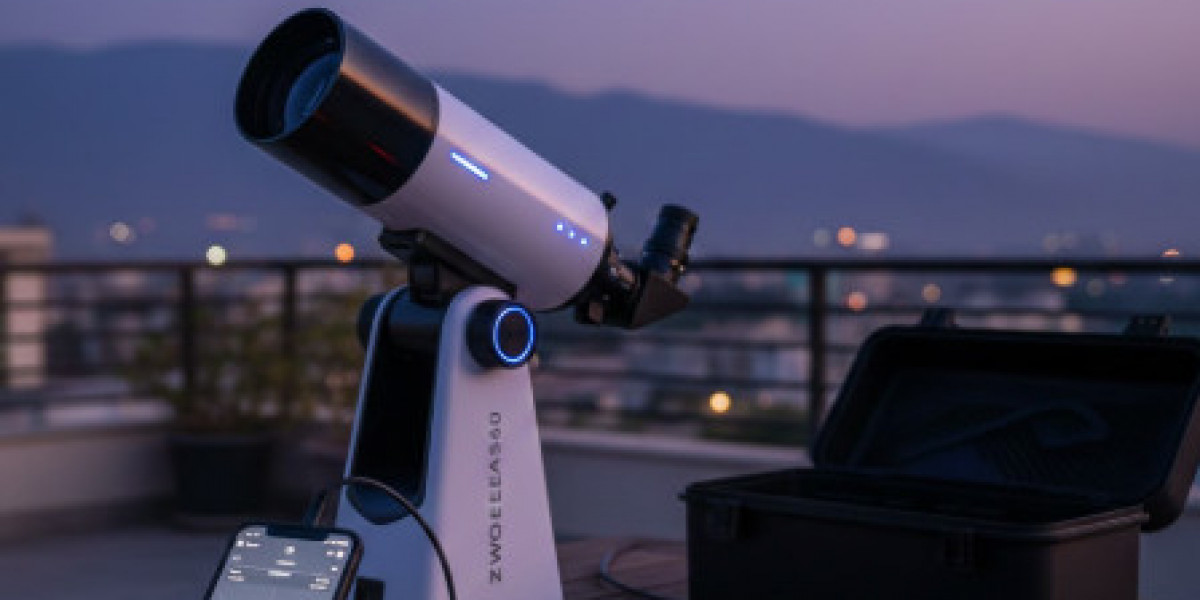

Setting up and maintaining your Zwo seestar properly ensures years of successful astronomical imaging. As Pakistan's only authorized dealer of Celestron and ZWO equipment, Sky Deep provides comprehensive technical guidance helping Pakistani astronomers maximize their investment in advanced astronomy technology.
Beyond smart telescopes, proper equipment setup applies across all astronomy gear including refractor telescopes, Schmidt-Cassegrain telescopes, reflector telescopes, GoTo computerized mounts, harmonic drive mounts, cooled monochrome cameras, LRGB filter sets, broadband filters, eyepieces and barlows, and telescope accessories. Proper setup techniques ensure optimal performance from any astronomical equipment.
Initial Setup and Configuration
Unboxing Your ZWO Seestar
Carefully unpack your Zwo seestar, checking for shipping damage before proceeding. The package includes the telescope assembly, protective caps for optical surfaces, charging cable, user documentation, and protective carrying case. Verify all components arrived undamaged. Contact us immediately regarding any shipping issues for prompt resolution.
Inspect optical surfaces for dust or contamination, though factory packaging typically ensures pristine condition. Keep protective caps installed except during actual observing sessions. This prevents dust accumulation on sensitive optics, maintaining image quality throughout the telescope's lifetime. Store all accessories in the provided case when not using them.
First Charge and Power Management
Before first use, fully charge the internal battery. Connect the provided charging cable to a standard USB power adapter, monitoring the LED indicator showing charging status. Initial charging takes approximately four hours, establishing proper battery conditioning for optimal long-term performance. Avoid operating the telescope during first charge to ensure complete battery initialization.
Battery capacity directly affects observing session length. Full charges provide 4-6 hours continuous operation, sufficient for typical evening imaging sessions. Plan charging schedules around your observing frequency. Daily users might charge after each session. Weekend astronomers should charge before planned observing nights, preventing disappointing battery failures during critical imaging.
Downloading and Configuring the App
The Zwo seestar operates through a dedicated smartphone app, available for iOS and Android platforms. Download from official app stores, ensuring you install the genuine ZWO application rather than third-party alternatives. Open the app and follow initial setup prompts, creating user accounts enabling cloud features and firmware updates.
App configuration includes setting location data for accurate target positioning. Grant location permissions when prompted, or manually enter coordinates if preferred. Accurate location data ensures proper calculation of celestial coordinates, improving target acquisition accuracy. Update timezone settings matching your observing location for correct transit time calculations.
Establishing WiFi Connection
First-Time Connection Process
The Zwo seestar creates its own WiFi network for smartphone connectivity. Power on the telescope, waiting for status indicators confirming successful boot sequence. Open your smartphone's WiFi settings, scanning for networks named with the Seestar identifier. Select the telescope's network, entering the default password provided in documentation.
Once connected, return to the ZWO app, which should automatically detect the telescope. Successful connection displays telescope status information including battery level, temperature readings, and firmware version. If connection fails, power cycle both telescope and smartphone, ensuring WiFi remains enabled throughout the connection attempt.
Troubleshooting Connection Issues
Connection problems occasionally occur, particularly in areas with multiple competing WiFi networks. If unable to connect, verify the telescope powered on completely with status lights showing active operation. Confirm your smartphone's WiFi enabled and airplane mode disabled. Move closer to the telescope, eliminating potential distance-related signal weakness.
Interference from other WiFi networks can disrupt connectivity. Try disabling WiFi on nearby devices or moving to locations with fewer active networks. Firmware updates sometimes resolve persistent connectivity issues; check for available updates through the app's settings menu. Sky Deep technical support assists with stubborn connection problems Pakistani users encounter.
Site Preparation and Telescope Placement
Choosing Optimal Placement
Telescope placement significantly affects imaging quality. Select level, stable surfaces preventing vibrations during long exposures. Concrete patios, thick wooden tables, or dedicated tripod platforms work well. Avoid flexible decking, thin tables, or any surface that bounces when touched. Even slight movements cause star trailing in captured images.
Ensure clear views toward your target regions. Buildings, trees, or terrain features blocking the sky limit accessible celestial objects. Pakistani urban astronomers often observe from rooftops, providing excellent horizon access despite surrounding buildings. Position away from bright lights causing direct glare into optics or creating excessive sky glow affecting image quality.
Environmental Considerations
Temperature differences between telescope and ambient air create condensation problems. If storing equipment indoors, allow thermal equalization before observing. Transport the Seestar outdoors 30-60 minutes before starting sessions, giving optical elements time to match air temperature. This prevents dew formation degrading image quality during critical integration periods.
Wind protection improves tracking accuracy and image sharpness. Even moderate breezes vibrate lightweight smart telescopes, introducing periodic tracking errors or elongated stars. Position behind windbreaks when possible, or schedule observing during calmer conditions. Pakistan's winter months often provide steadier atmospheric conditions compared to gusty summer evenings.
Calibration and Alignment
Initial Position Calibration
The Zwo seestar requires initial calibration creating an internal sky map. This one-time process captures images of surrounding bright stars, calculating precise position and orientation. Select "calibrate" through the app, allowing several minutes for the system to photograph reference stars and compute orientation matrices.
Calibration accuracy depends on clear sky conditions with visible stars. Clouds or heavy haze prevent proper calibration, requiring rescheduling until conditions improve. Once successfully calibrated, the telescope remembers this data unless relocated significantly. Moving between Pakistani cities requires recalibration accommodating different latitude and longitude coordinates.
Plate Solving and Target Acquisition
After calibration, the Zwo seestar uses plate solving for target location. This technique compares captured images against star catalogs, identifying exact sky position. The system then calculates required movements reaching your selected target. This automation eliminates manual star-hopping required by traditional Celestron telescope configurations.
Occasionally, plate solving fails due to clouds obscuring stars or extreme light pollution overwhelming faint reference stars. The app displays error messages indicating plate solving difficulties. Wait for clearer conditions or relocate to darker sites if persistent problems occur. Successfully acquired targets show centered in the viewing frame, ready for imaging sessions.
Optimizing Image Quality
Focus Adjustment and Maintenance
Automatic focus systems in the Zwo seestar usually produce sharp images, but occasional verification ensures optimal performance. Monitor star appearance in the app's live view, looking for tight, round star shapes. Out-of-focus stars appear enlarged or elongated, indicating focus adjustment needs. Trigger manual focus routines through app settings if automatic focus seems suboptimal.
Temperature changes during extended sessions can shift optimal focus position. The Seestar periodically refocuses automatically, but dramatic temperature swings might require additional manual refocus commands. Winter observing sessions in northern Pakistan experience significant temperature drops, necessitating more frequent focus attention than summer sessions.
Exposure and Stacking Parameters
The Zwo seestar automatically selects exposure lengths and stacking parameters, but understanding these settings helps troubleshoot issues. Individual exposure duration balances light-gathering against tracking errors. Too-long exposures show trailing stars due to periodic error. Too-short exposures require excessive stacking for sufficient signal accumulation.
Monitor the app's integration statistics showing total accumulated exposure time. Bright targets like the Orion Nebula show impressive detail within 30-60 minutes total integration. Faint galaxies demand several hours for optimal results. Plan multi-night sessions for challenging deep-sky targets, combining data from separate observing nights through the app's session management features.
Common Technical Problems
Tracking and Pointing Errors
Tracking errors manifest as elongated or trailed stars despite proper focus. These typically result from unstable mounting, poor initial calibration, or mechanical issues. First, verify stable mounting on solid surfaces free from vibration. Recalibrate the telescope's position if recently moved. Ensure no cables or obstacles impede telescope movement during tracking.
Persistent tracking problems may indicate firmware issues or mechanical defects. Update firmware to the latest version through the app, as manufacturers continuously improve tracking algorithms. If problems continue after firmware updates and mounting verification, contact Sky Deep for warranty service and technical diagnosis.
Image Quality Issues
Poor image quality appears as soft stars, reduced contrast, or unusual color casts. Multiple factors affect image quality. Dew condensation on optical surfaces dramatically reduces sharpness and contrast. Wipe optics carefully with proper lens cleaning supplies when condensation occurs, or use dew prevention strategies for future sessions.
Light pollution heavily impacts image quality from urban Pakistani locations. While the Zwo seestar's processing mitigates light pollution effects, extreme urban environments still challenge the system. Consider traveling to darker sites for best results, or limit expectations when imaging from city centers. Use light pollution filters reducing skyglow when available for your specific Seestar model.
Battery and Power Management
Unexpected power loss interrupts imaging sessions and potentially corrupts data. Monitor battery levels regularly through the app display, planning session length within battery capacity. Bring external power banks for extended imaging, connecting through the charging port while operating. This effectively provides unlimited runtime for all-night sessions.
Battery degradation occurs naturally over years of use. If battery life decreases significantly despite full charges, replacement might become necessary. Sky Deep facilitates warranty service and replacement parts for authorized ZWO products, ensuring long-term equipment functionality.
Maintenance and Care
Optical Cleaning Procedures
Optical surfaces require occasional cleaning despite protective measures. Only clean when absolutely necessary, as improper technique risks damaging delicate coatings. Use compressed air removing loose dust particles before any contact cleaning. Apply optical cleaning solution to microfiber cloths, never directly onto optics, wiping gently in circular motions.
Pakistani conditions including dust storms and high humidity create particular maintenance challenges. Store equipment in sealed cases with desiccant packs controlling moisture. Avoid leaving telescopes outdoors between sessions, as dust accumulation and humidity exposure accelerate cleaning needs and potential coating degradation.
Firmware Updates and Software Management
Regular firmware updates deliver performance improvements, new features, and bug fixes. Enable automatic update notifications through app settings, reviewing and installing updates when available. Updates typically complete within minutes, requiring stable WiFi connection throughout the process. Avoid interrupting updates, as incomplete installations can cause operational problems requiring factory reset procedures.
Backup important imaging data before major firmware updates, though data loss rarely occurs. Cloud synchronization features automatically preserve your imaging library, but local backups provide additional security for precious astronomical images representing hours of integration time.
Advanced Troubleshooting
System Reset Procedures
Occasionally, software glitches require complete system resets. This process returns the telescope to factory default settings, erasing custom configurations but often resolving stubborn problems. Access reset options through app settings, carefully following prompts confirming reset intentions. After reset, reconfigure network settings, location data, and calibration before resuming normal operations.
Document custom settings before performing resets, facilitating quick reconfiguration afterward. Note any specific exposure preferences, filter selections, or processing parameters you've customized. Reset procedures eliminate these personalizations, requiring manual restoration from your documentation.
When to Seek Professional Support
Some problems require professional diagnosis beyond user troubleshooting capabilities. Persistent mechanical noises, obvious damage to optical components, or complete operational failures indicate needs for warranty service. Sky Deep coordinates warranty repairs for all authorized ZWO equipment, ensuring proper service through official channels.
Don't attempt internal repairs or disassembly, as unauthorized service voids warranties and risks further damage. Our technical team provides remote troubleshooting assistance for most issues, with warranty service facilitation when necessary. As Pakistan's only authorized ZWO dealer, we ensure proper support throughout your telescope's lifetime.
Long-term Success Strategies
Building Operating Proficiency
Master your Zwo seestar through regular use and progressive challenge. Start with easy targets like bright nebulae, gradually attempting fainter objects as skills develop. Join Pakistani astronomy communities sharing experiences and techniques. Learn from others' successes and mistakes, accelerating your proficiency beyond isolated trial-and-error approaches.
Complement smart telescope imaging with broader astronomical knowledge. Understanding celestial mechanics, target visibility seasons, and astrophotography principles improves results beyond pure equipment operation. Consider traditional Celestron telescope systems for hands-on learning about optics, mounting, and manual observing techniques enriching your overall astronomical expertise.
Expanding Your Capabilities
The Zwo seestar provides excellent imaging capabilities, but eventually you might desire complementary equipment. Additional astronomy cameras, specialized filters, or traditional telescopes from our intermediate level or professional telescopes collections expand your observing possibilities.
Sky Deep guides equipment expansion matching your developing interests and skills. Whether remaining dedicated to smart telescope imaging or progressing toward advanced astrophotography systems, we provide appropriate products and expertise. Schedule a free consultation discussing your observing goals and receiving personalized equipment recommendations from Pakistan's trusted Celestron and ZWO authority.